
Printable labels
Parts-Bin Labels
Printable labels for the bins and drawers on your bench. Edition 1.2 keeps the 7 resistor, capacitor and blank sets and adds 8 sets for 88 common transistors and ICs. A transistor or IC label has the part number in large type, the type and key ratings under it, and the package and pin order on the last line. Every set comes in 6 sheet layouts.
15 label sets in 6 sheet layouts (92 PDFs, with a cover sheet) · ZIP of print-ready PDFs: a cover page, a 2-page start-here guide, then A4 sticker sheets (3 × 8 and 4 × 10), US Letter Avery 5160 and 5167, plain A4 and Letter
$4.99
Price in US dollars. One-time payment, no subscription.
You pay on PayPal with your PayPal account or a card, then come straight back here for the download link.
Digital download, for your own use. See the refund policy.
- Instant download after payment.
- The link works for 7 days and 5 downloads. Save the ZIP file somewhere safe.
- Unzip it, open the folder that matches your label sheet, and print at 100 % (“actual size”). Run one page on plain paper first and hold it against a label sheet to check the line-up.
Preview
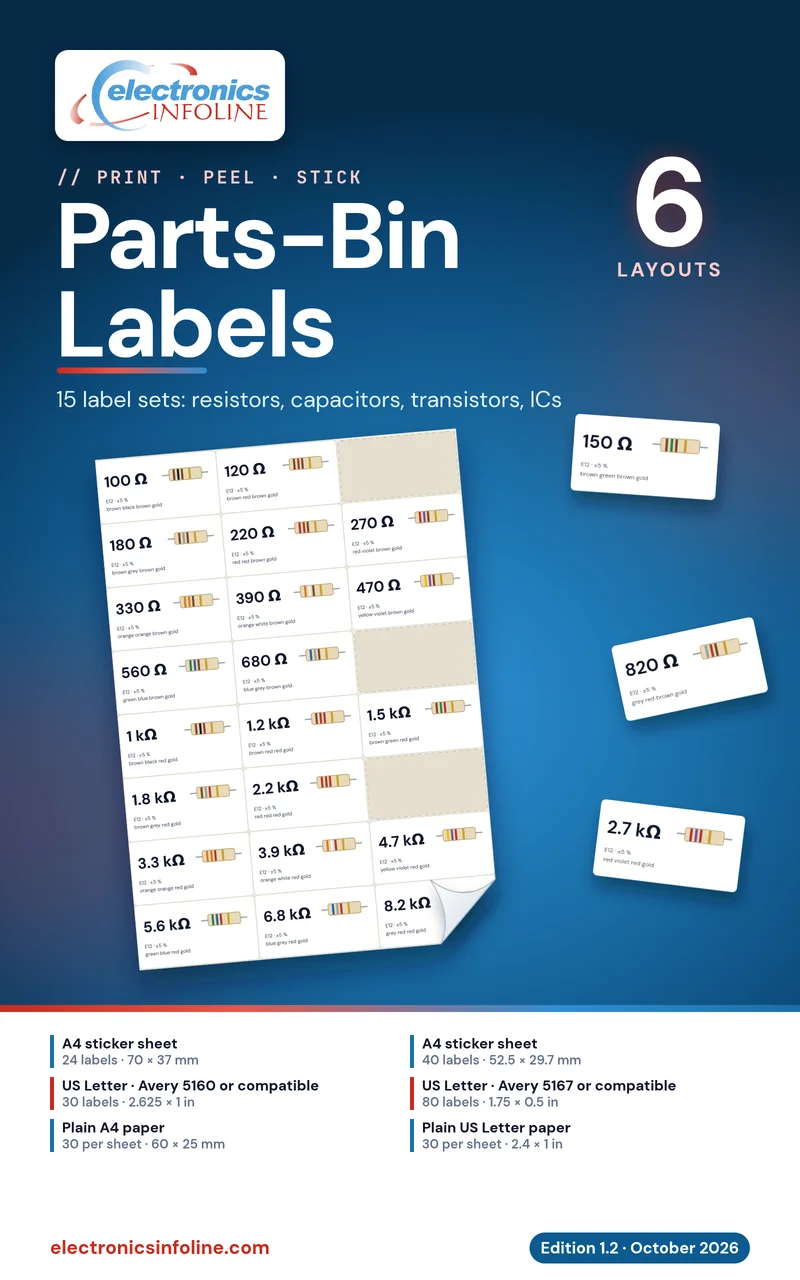
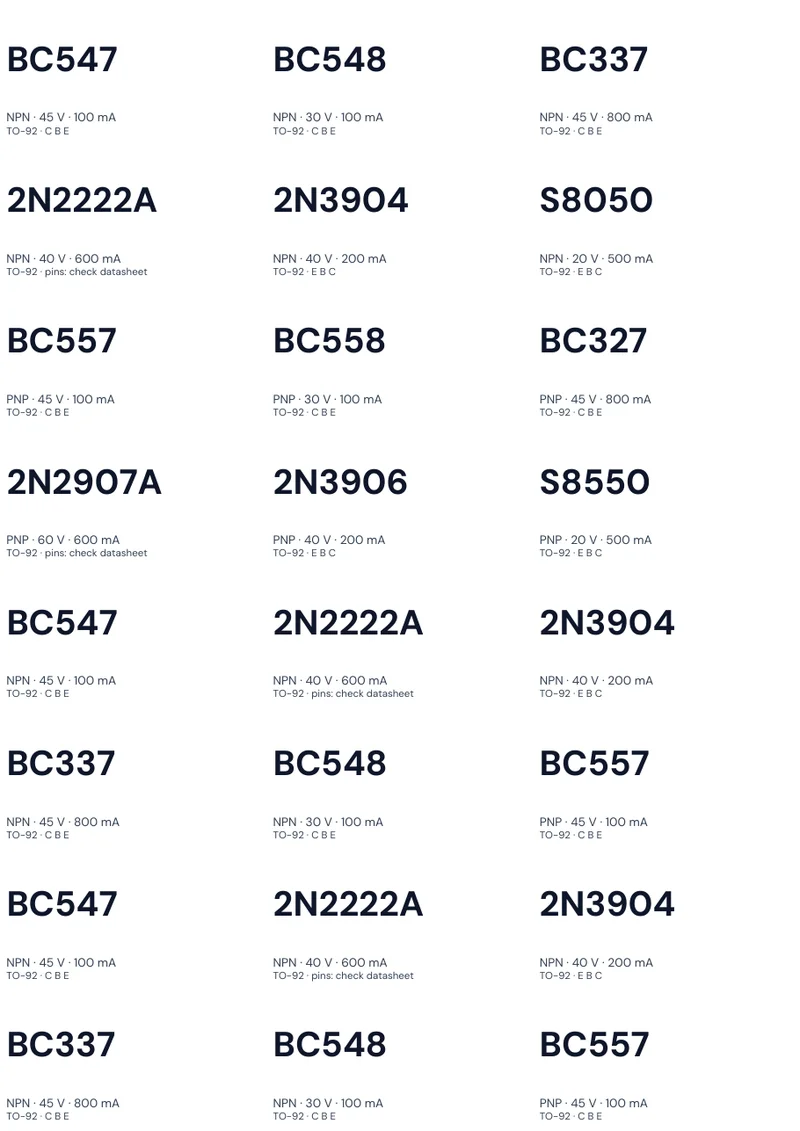
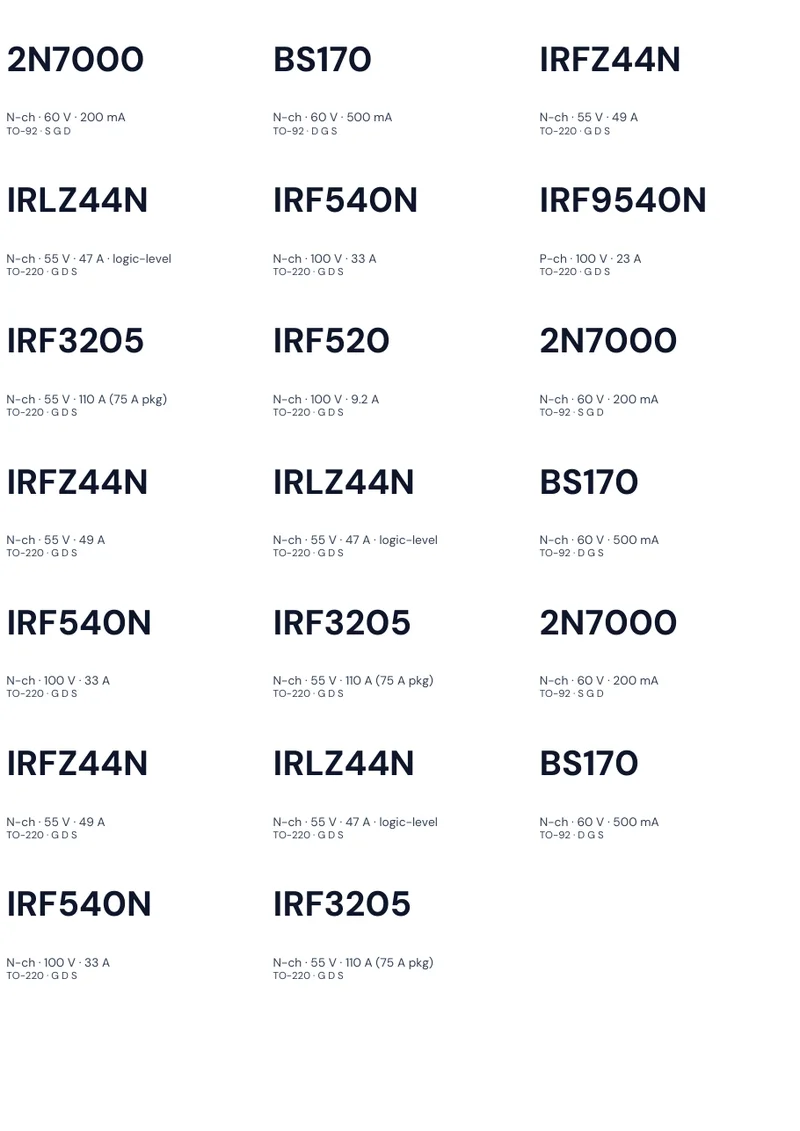
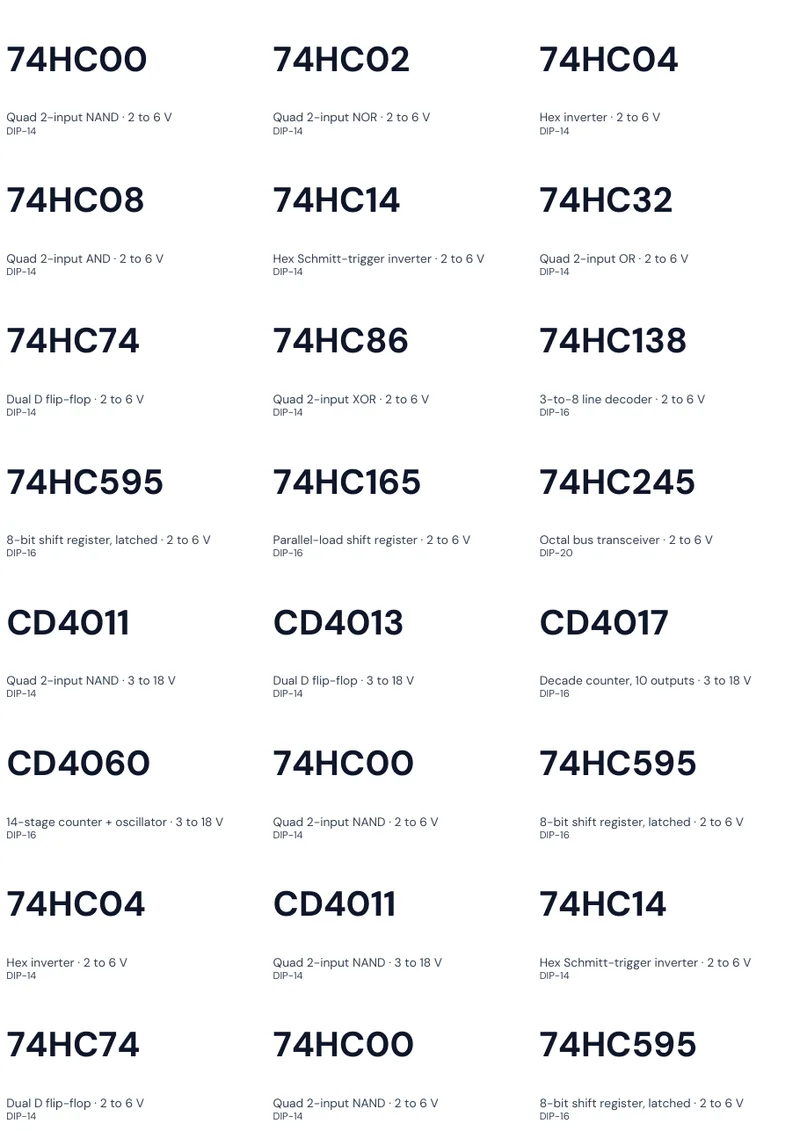
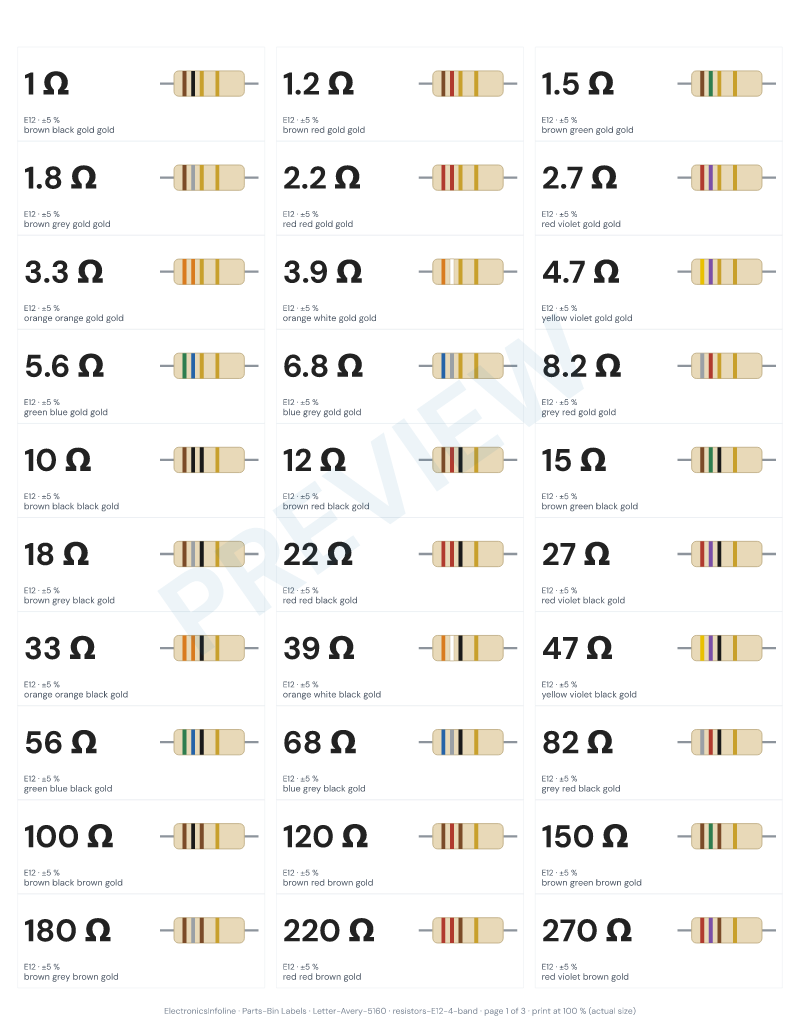
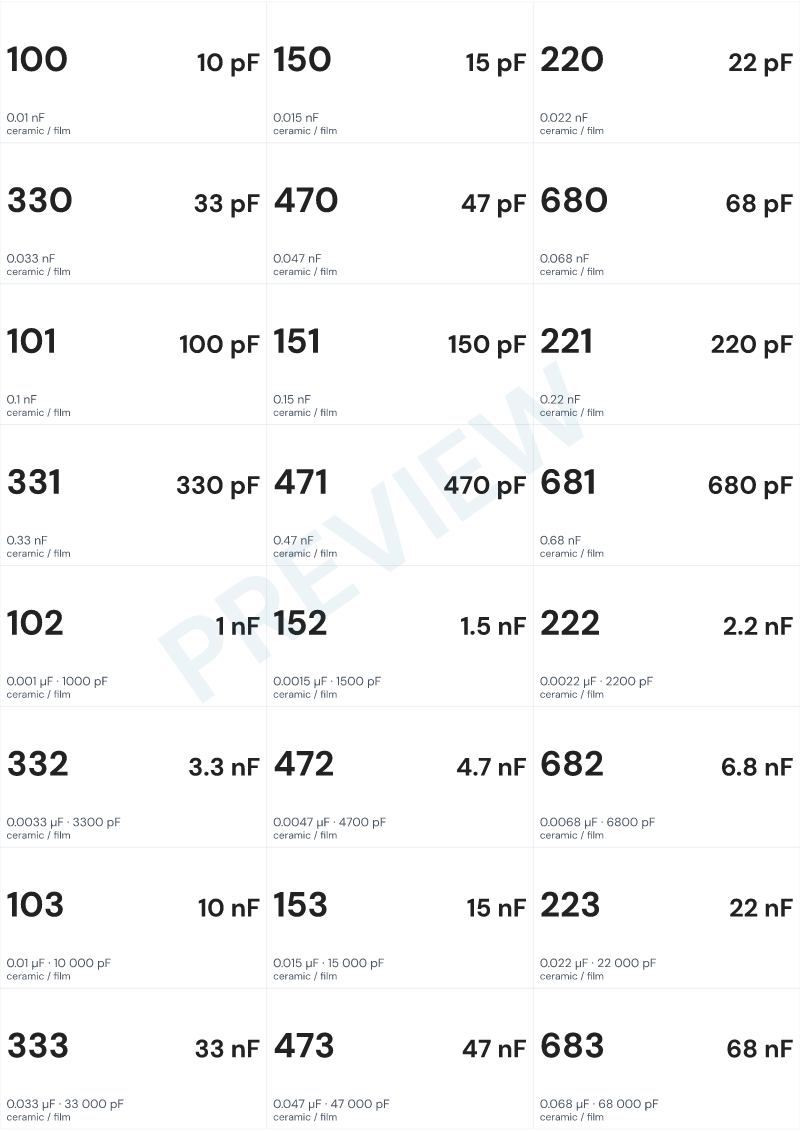
The previews carry a "Preview" watermark. The PDFs you download have none.
What’s inside
E12 resistor values
1 Ω to 10 MΩ, 85 labels, each with its colour bands drawn in. Two versions: 4-band (gold, ±5 %) and 5-band (brown, ±1 %).
E24 resistor values
1 Ω to 10 MΩ, 169 labels, in the same two versions. Use these if your kit has values like 1.1, 1.3 or 9.1.
Ceramic capacitor codes
The 34 three-digit codes you meet most, from 100 (10 pF) to 106 (10 µF), each with its value in pF, nF and µF.
Electrolytic capacitor values
0.1 µF to 4700 µF in E6 steps, with a space to write in the voltage.
Blank labels
Resistor labels with empty bands to colour in yourself, plus blank capacitor and plain labels for the odd values.
Transistor labels (sets 08 and 09)
Small-signal parts such as BC547, 2N2222A, 2N3904 and BC557, then power parts such as TIP31C, BD139, 2N3055 and TIP120. Type, voltage, current, package and pin order on each.
MOSFET, thyristor and triac labels (sets 10 and 11)
2N7000, BS170, IRFZ44N, IRF540N and IRF3205, then BT136, BT151, MOC3021 and PC817.
Regulator, op-amp and timer labels (sets 12 and 13)
7805, LM317, AMS1117-3.3 and TL431, then NE555, LM358, LM324, TL072 and LM393.
Logic and interface IC labels (sets 14 and 15)
74HC and CD4000 parts, then ULN2003, L293D, MAX232, CH340G, ATmega328P-PU, ATtiny85, LM35 and DS18B20.
Cover page and start-here guide
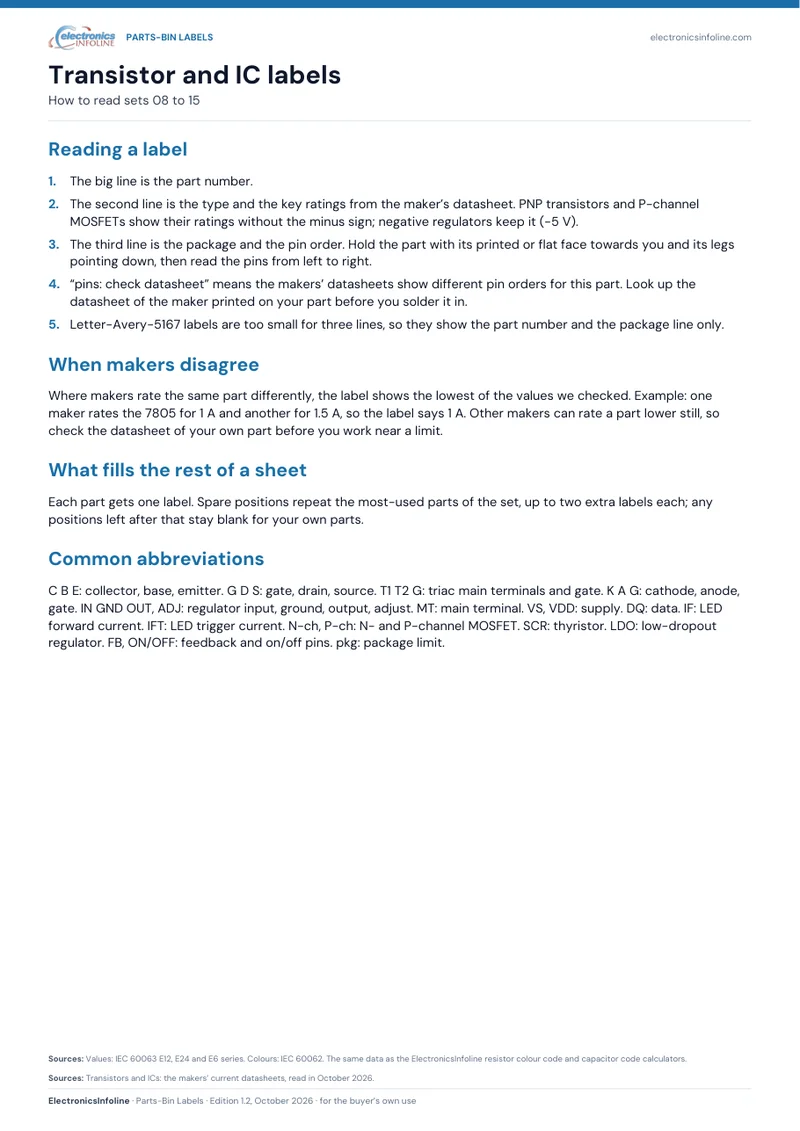
Which file fits which sheet, how to print, what is in each set, the resistor colour code, and a second page on how to read the transistor and IC labels.
Who it is for
Hobbyists sorting a new parts kit into a drawer cabinet, repair benches, and school and college labs. If you have ever tipped out a bag of resistors to find one 4.7 kΩ, or hunted a drawer of identical black TO-92 parts for the BC547, these are for you.
Everything in the pack is also free on the site, spread across these pages. The pack puts it on paper in one place:
Tips and tricks
- Print one page on plain paper and hold it over a label sheet against a window. If the two are a millimetre or two apart, correct it in the printer’s margin setting and leave the file alone.
- Turn off “fit to page”, “scale to fit” and borderless printing. Each one shifts the labels.
- Print the resistor labels in colour. The bands are there so you can match a loose resistor to its drawer by eye, and grey bands cannot do that.
- Match bands under white daylight or a daylight-white LED. Under a warm bulb, brown looks red and red looks orange.
- The labels print in value order, one decade after another, so you can peel them off in sequence and fill the drawers row by row.
- Stick one label on the drawer front and drop a second inside. If drawers get swapped around, the inside label still says what belongs there.
- Write the voltage on a capacitor label when you fill the drawer. Two 100 µF capacitors with different ratings belong in different drawers.
- Read a transistor label with the printed or flat face towards you and the legs pointing down. The pin order on the label runs left to right in that view.
- The 2N2222A, 2N2907A and TL431 are sold with different pin orders by different makers, so their labels say “pins: check datasheet”. Look up the datasheet of the maker printed on your part before you solder it in.
What we would do
Start with the E12 4-band set. It covers the usual ±5 % kit, and the full run from 1 Ω to 10 MΩ fills three sheets of Avery 5160. Add the E24 5-band set if your kit is 1 % metal film, and the ceramic set if your capacitors live in the same cabinet. Print sets 08 to 15 for the transistors and ICs you actually own, and leave the rest. For drawers narrower than about 50 mm, use the 4 × 10 A4 sheet or Avery 5167; the bigger labels will not fit.
Questions
- Which label sheets do these fit?
- A4 sheets of 24 labels (3 × 8, 70 × 37 mm) and 40 labels (4 × 10, 52.5 × 29.7 mm), and US Letter Avery 5160 (30 per sheet, 1 × 2⅝ in) and 5167 (80 per sheet, ½ × 1¾ in), or any sheet sold as compatible with them. There is also a plain-paper version for A4 and Letter with cut lines.
- Do I need a colour printer?
- For the resistor labels, yes. The capacitor, transistor, IC and blank labels print fine in black and white.
- Which transistors and ICs are included?
- Sets 08 to 15 hold 88 common parts: small-signal and power transistors, MOSFETs, thyristors, triacs and optos, regulators, op-amps and timers, 74HC and CD4000 logic, and drivers, interface chips and microcontrollers. The part numbers are listed in the contents on this page.
- How do the transistor and IC labels read?
- Line 1 is the part number. Line 2 gives the type and key ratings, for example “NPN · 45 V · 100 mA”. Line 3 gives the package and pin order, for example “TO-92 · C B E”. On the small Avery 5167 sheet the labels carry the part number and the package line only.
- Can I trust the ratings on the labels?
- They come from the makers’ datasheets, read in October 2026. Where makers rate a part differently, the label gives the lowest rating we found. Your part may come from another maker, so check its own datasheet before you run it near a limit.
- I bought Edition 1.1. Do I get the new sets?
- Yes. Open your order page and download again: the file now holds all 15 sets. Sets 01 to 07 are unchanged.
- Which resistor values are included?
- In sets 01 to 04, every E12 and E24 value from 1 Ω to 10 MΩ. E12 is the usual ±5 % range; E24 adds the in-between values, such as 1.1, 1.3 and 1.6, that 1 % kits often include.
- Why are there two versions of each resistor label?
- A 4-band and a 5-band resistor of the same value carry different colours. 4.7 kΩ is yellow, violet, red, gold on a ±5 % part and yellow, violet, black, brown, brown on a ±1 % part. Print the version that matches the parts in your kit.
- Is this information free on the site?
- Yes. Our resistor colour code calculator decodes any value. The labels save you drawing more than 250 sets of bands by hand, looking up pin orders, and fitting it all to a sheet.
- Can I print them more than once?
- Yes, for your own drawers, as often as you like. For a classroom or lab, write to [email protected].
Price, tax and refunds
Rupee prices include GST, and you pay them through Razorpay. You pay dollar prices through PayPal. We never see your card or bank details. Because this is a digital download, the refund policy applies: if the file will not download or open, write to [email protected] within 7 days and we will fix it or send a replacement.