
Resources · Verified September 2026
Circuit simulators in 2026: an honest guide
By ElectronicsInfoline Editorial · Every claim checked by hand, 1 September 2026 · About a 12-minute read
There isn't really a single "best" circuit simulator. There are simulators that are brilliant for learning, simulators that are built for checking an actual design, and simulators that are really there to let your microcontroller code pretend the hardware exists.
Pick the wrong one and even a good simulator can feel frustrating.
For learning basic analog electronics, our first choice is Falstad CircuitJS1. It's free, runs in a browser, doesn't ask you to create an account, and — unusually for a serious electronics tool — lets you see what the circuit is doing. Current is animated, voltages are represented visually, and changing a component value immediately changes the behaviour on screen.
When the numbers matter, move to LTspice. It is a proper SPICE simulator, it's free, and it is widely used by practicing engineers.
Working with an Arduino or ESP32? Wokwi is a much better fit. For digital logic, CircuitVerse is easier to recommend than trying to force an analog simulator to do a digital job.
First, decide what you actually want the simulator to do
"Circuit simulator" sounds like one category. It isn't.
There are at least four fairly different jobs people mean when they say they need one. That's why simulator comparisons often end up being less useful than they look: they're comparing tools that weren't designed to solve the same problem.
1. You want to understand a circuit
Maybe you're learning Ohm's law, trying to understand a voltage divider, or finally figuring out what an RC time constant actually means.
Here, the best simulator isn't necessarily the one with the most sophisticated mathematics. You want something immediate. Change a resistor. Move a slider. Watch the voltage change. Break the circuit and put it back together.
Falstad and EveryCircuit are particularly good at this.
2. You want to check a real design
This is a different game.
If you're about to order a PCB or populate a prototype, "it looks about right" isn't enough. You may need a bias point, transient response, frequency response, operating margin, or a model for the exact component you're planning to buy.
That's where SPICE matters: LTspice, CircuitLab, and KiCad's simulator belong here. They can work with proper SPICE models and give you numbers you can actually use as part of an engineering workflow.
If SPICE is unfamiliar, our lesson on circuit simulation explains what the simulator is calculating — and, just as importantly, what it isn't telling you.
3. You're working with digital logic
Gates, flip-flops, counters, registers, finite-state machines — maybe even a little CPU.
You can make an analog-oriented simulator do some of this, but there's usually no good reason to. A dedicated digital simulator makes the logic much easier to build, inspect, and debug.
CircuitVerse is our pick here.
4. Your circuit includes a microcontroller
This is where people often choose the wrong type of simulator.
Suppose you're building an ESP32 project with a sensor and an OLED. The interesting question isn't simply whether the resistor and capacitor behave correctly. You want to know whether the firmware reads the sensor, whether the display updates, whether the GPIO behaves as expected, and whether all those pieces work together.
That's a microcontroller/firmware simulator, not a conventional SPICE problem. For that job, look at Wokwi, Tinkercad Circuits, or SimulIDE.
The field at a glance
| Tool | Kind | Runs | Account? | Free tier, honestly | Best for |
|---|---|---|---|---|---|
| Falstad CircuitJS1 | Analog/intuition | Browser | No | Everything, forever | Learning, experimenting |
| LTspice | SPICE | Windows, Mac | No | Everything, forever | Real analog design |
| CircuitLab | SPICE | Browser | Yes | Trial only; entry plan capped at 10 components | Shareable SPICE schematics |
| EveryCircuit | Analog/intuition | Browser, Android, iOS | Yes | Your own circuits capped at 5 components | Visual learners on phones |
| KiCad (ngspice) | SPICE | Win, Mac, Linux | No | Everything, forever | People already using KiCad for PCBs |
| CircuitVerse | Digital logic | Browser | Optional | Everything, forever (open source) | Logic courses, classrooms |
| Tinkercad Circuits | MCU + basic circuits | Browser | Yes | Everything, forever | Absolute beginners, schools |
| Wokwi | MCU firmware | Browser | Optional | Unlimited, but projects are public | Arduino/ESP32 development |
| SimulIDE | MCU + circuits | Win, Mac, Linux | No | Everything, forever | Local, offline MCU simulation |
The nine, one at a time
Falstad CircuitJS1 — still the easiest place to start
Paul Falstad's simulator has been one of the web's great electronics playgrounds for roughly two decades. Its staying power makes sense once you use it.
You open it in a browser and start experimenting. No installation, no account, no project setup ceremony.
More importantly, it gives you something that conventional SPICE tools often don't: a visual explanation of what's happening.
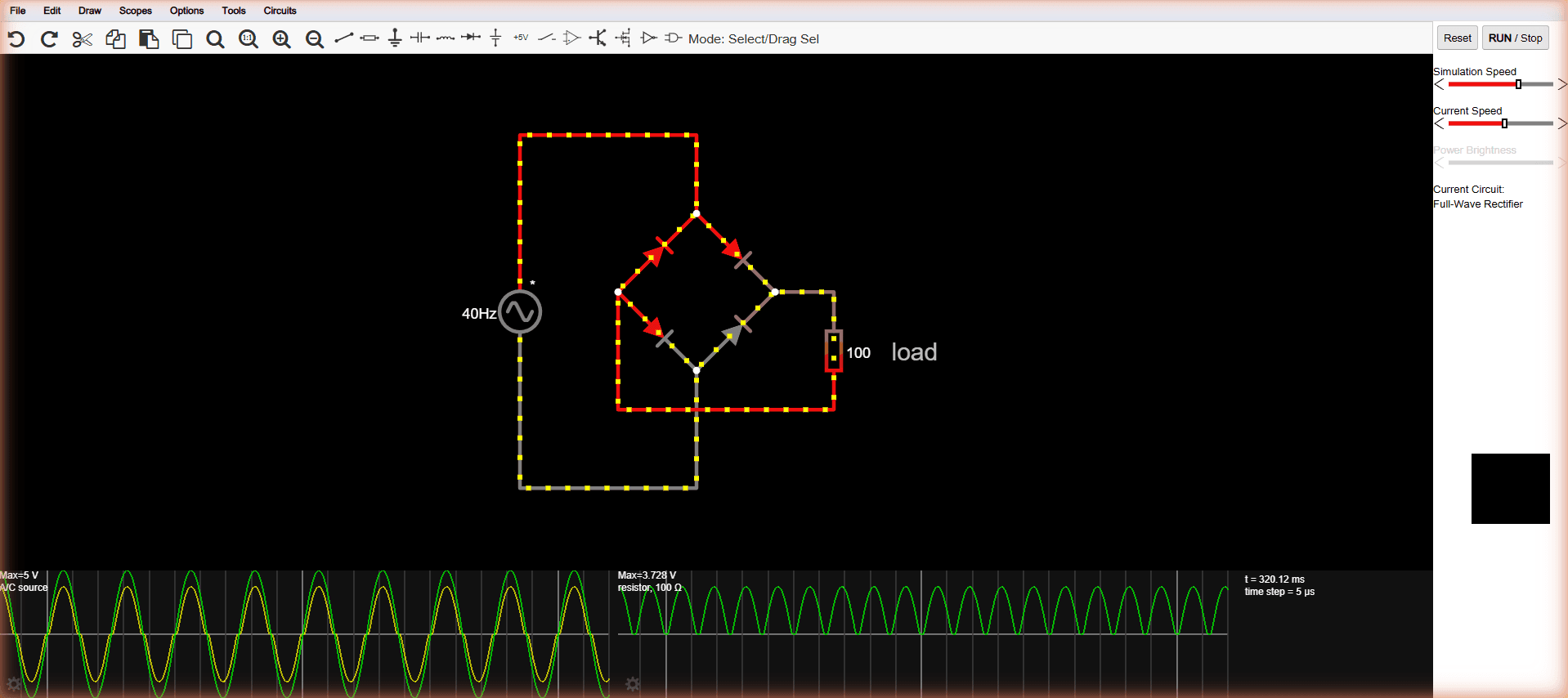
Current appears as moving dots. Voltages are represented by colour. Change the value of a resistor and you can watch the voltage divider settle into its new state. Add a capacitor and you can see the charging process unfold rather than simply staring at a plot of voltage against time.
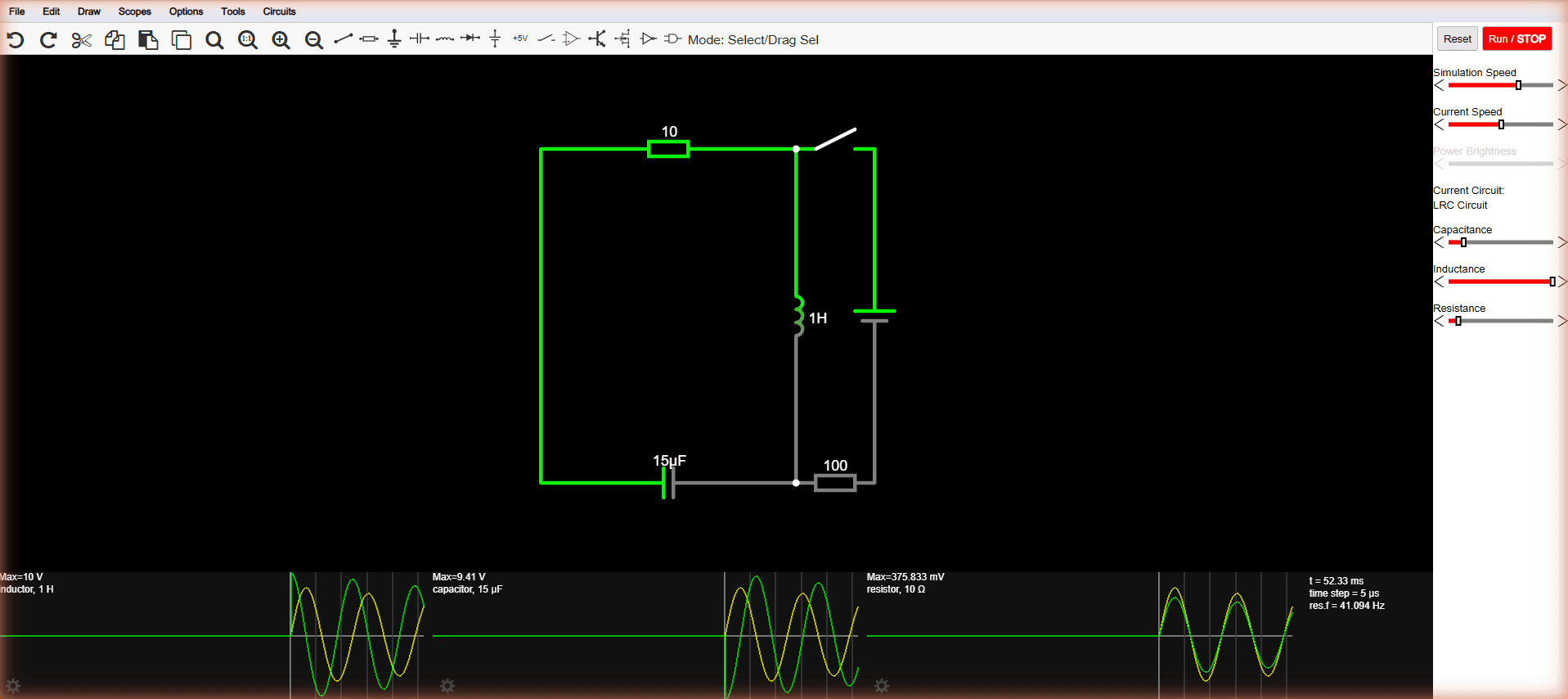
There are also a huge number of example circuits built in, covering everything from basic RC networks to transistor oscillators.
That immediacy is the reason we recommend it so strongly to learners.
There is a catch, though — actually, two.
First, the interface is not going to win any modern software-design awards. It still has the unmistakable feel of the old Java-era application it grew out of, with dense menus and right-click interactions that aren't particularly obvious if you've never used it before.
Second, Falstad isn't SPICE.
Its own simulation engine is designed around being fast and interactive rather than reproducing every detail you'd expect from a professional SPICE workflow. That's not a flaw for its intended purpose. In fact, it's part of why the simulator feels so good to use.
It does mean you should know where to stop trusting it.
Use Falstad to understand a circuit. Use a proper SPICE tool when you're trying to establish whether a particular real-world design will behave within its required limits.
The project is also open source under GPLv2, which helps explain how it has remained available long after many commercial electronics tools from the same era have disappeared.
Our take: If you're learning electronics, open this one first. It's free, immediate, and exceptionally good at turning an abstract circuit into something you can actually watch. Just don't use it as the final sign-off on a production design.
LTspice — the free SPICE tool that earns its place
If Falstad is where we'd send someone who is learning, LTspice is where we'd send them when the numbers start to matter.
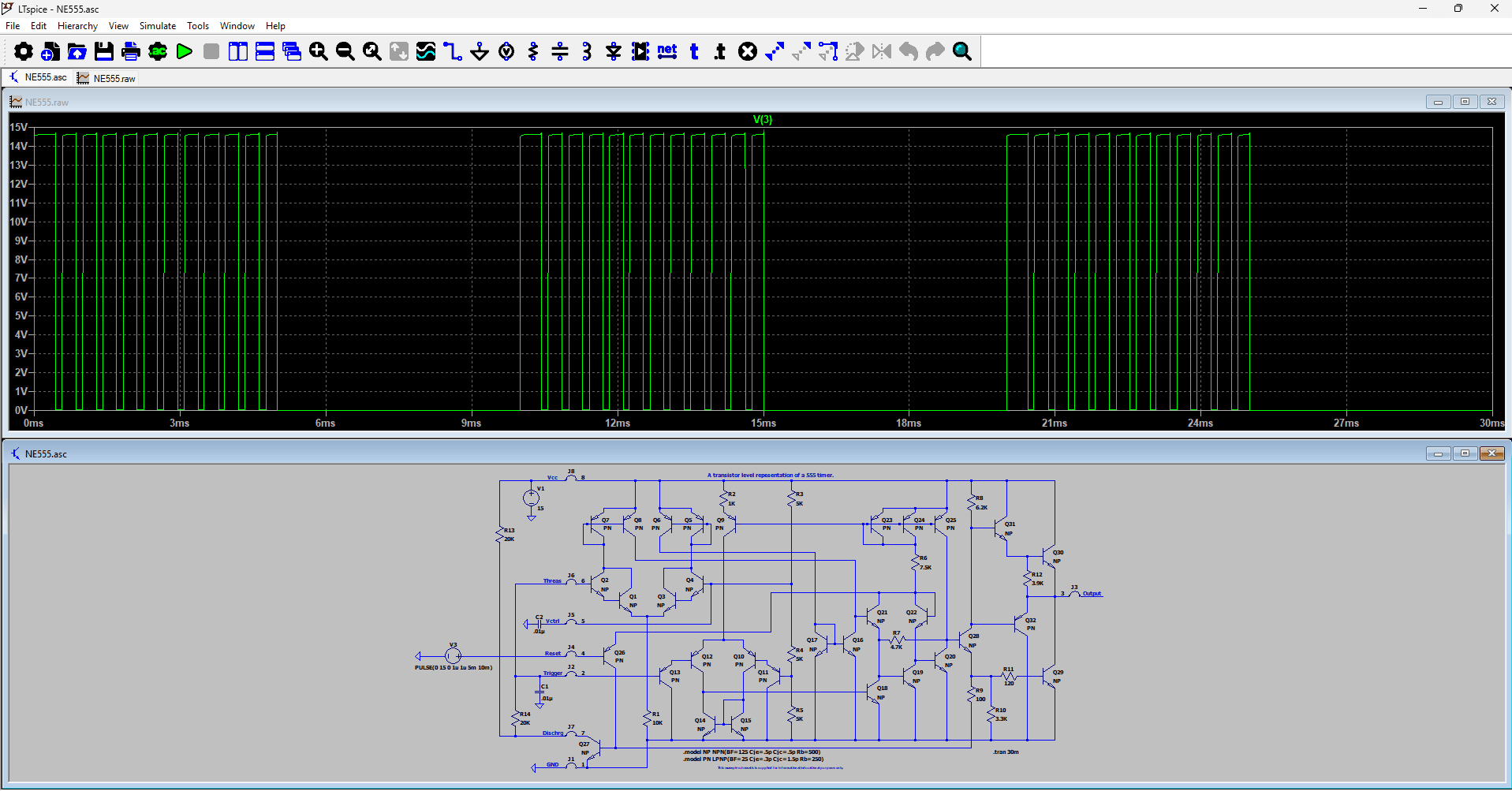
LTspice is made available free of charge by Analog Devices. There are no feature tiers to navigate and no subscription needed to get the full simulator. It has a serious SPICE engine, extensive component-model support, and a large library of models, particularly for Analog Devices components. You can also add SPICE models supplied by other manufacturers.
And it isn't some abandoned free utility that happens to still be downloadable. Version 26.0.2 was released in July 2026, with Windows and Mac support, so the software is still being actively developed.
The part that catches newcomers is the interface.
LTspice has a reputation for looking old because, well, it does. Some of the keyboard shortcuts feel as though they were designed by someone who had no intention of checking what the rest of the software industry was doing. Even simple operations can take a while to discover.
That's frustrating during the first few sessions.
The good news is that LTspice tends to reward persistence. Once the basic workflow becomes familiar, the awkwardness fades into the background and you start appreciating what the software is actually built to do.
And that's the important distinction: LTspice isn't trying to make simulation feel like a toy. It's trying to give engineers a capable SPICE environment without charging them for it.
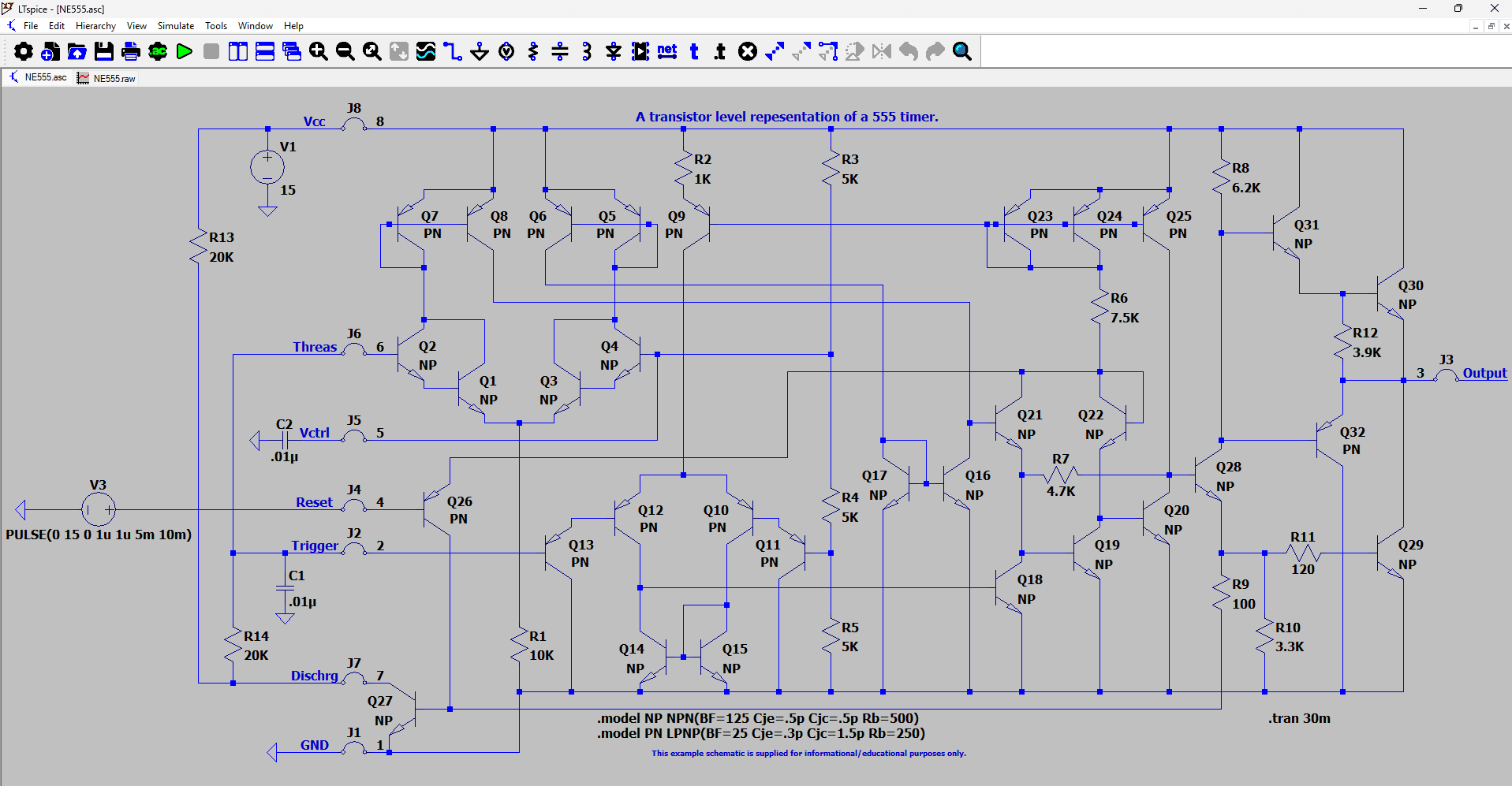
Our take: Probably the best free step up from educational simulation to serious analog design work. We wouldn't make it someone's first-ever simulator, but we'd absolutely want it in their toolbox once they're ready to go beyond intuition and start checking real designs.
CircuitLab — browser SPICE, with commercial strings
CircuitLab is the most complete SPICE tool that runs entirely in a browser: proper schematic capture, DC, AC and transient analysis, and a shareable link for every circuit. That last part matters more than it sounds — when you're asking for help on a forum, or grading student work, a link that opens the live schematic beats a screenshot every time.
Students at enrolled institutions get free access with a .edu address.
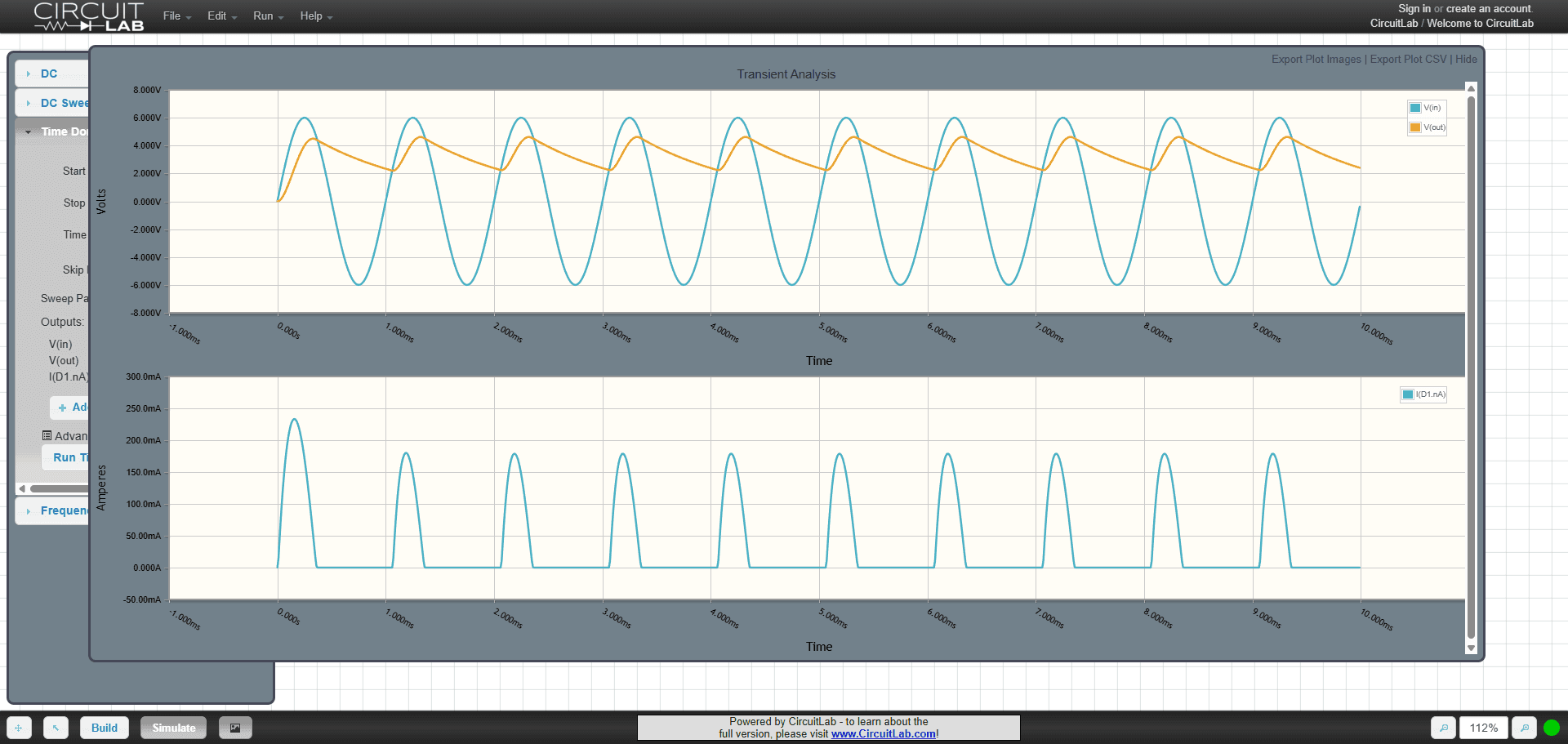
The catches are commercial rather than technical. There's no permanent free tier: you get a trial, then paid plans, and the entry plan caps schematics at ten components. Ten disappears faster than you'd think — a common-emitter amplifier with sensible biasing is already most of the way there. User reviews keep returning to the same two complaints: being locked out mid-project when a limit bites, and a strict no-refund policy. And CircuitLab assumes some SPICE literacy — when a simulation fails to converge, the error messages expect you to know what's going on underneath.
Our take: Capable, convenient, and the shareable links are a real feature. Read the plan limits carefully before you build anything you'd mind losing access to.
EveryCircuit — the one that makes electricity visible
Of everything on this page, EveryCircuit is the best-looking — and for once the looks are doing real work. Voltage, current and charge are animated directly on the schematic while it runs, and plots redraw live as you drag a component's value. It's also the only serious simulator here that treats phones as first-class: one account covers the browser, Android and iOS apps. For a commute spent understanding low-pass filters, nothing else comes close.
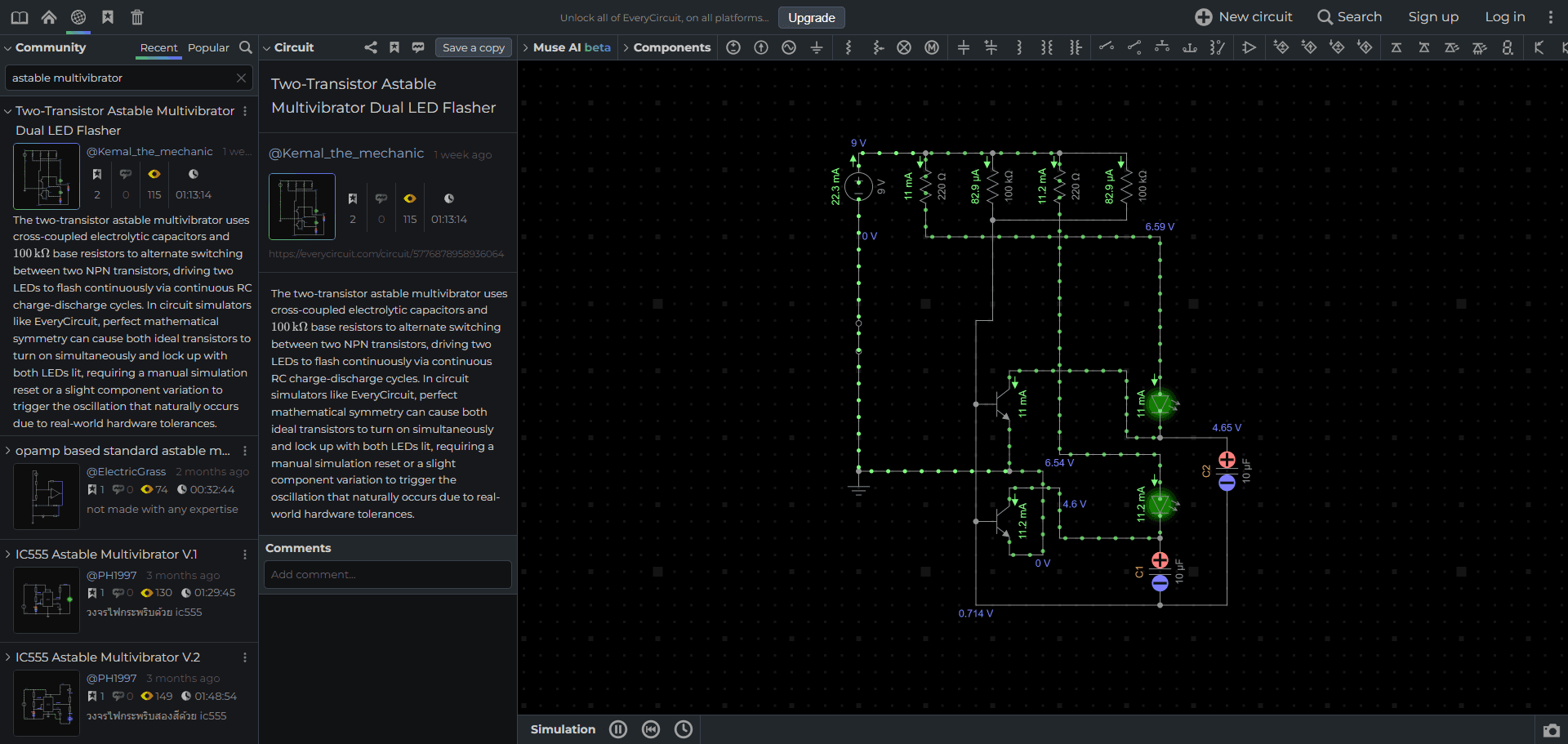
The free tier is honest about what it is: you can explore the community's circuits without limit, but your own creations are capped at five components. That's a demo, not a working tier. The fair deal is the one-time $15 unlock — permanent, across all platforms — with a $5/month subscription for people who prefer renting. Deep IC modeling isn't the point here; intuition is.
Our take: Worth $15 if animations teach you things equations don't. Not an engineering tool, and it doesn't pretend to be.
KiCad's built-in simulator — convenient, fragile
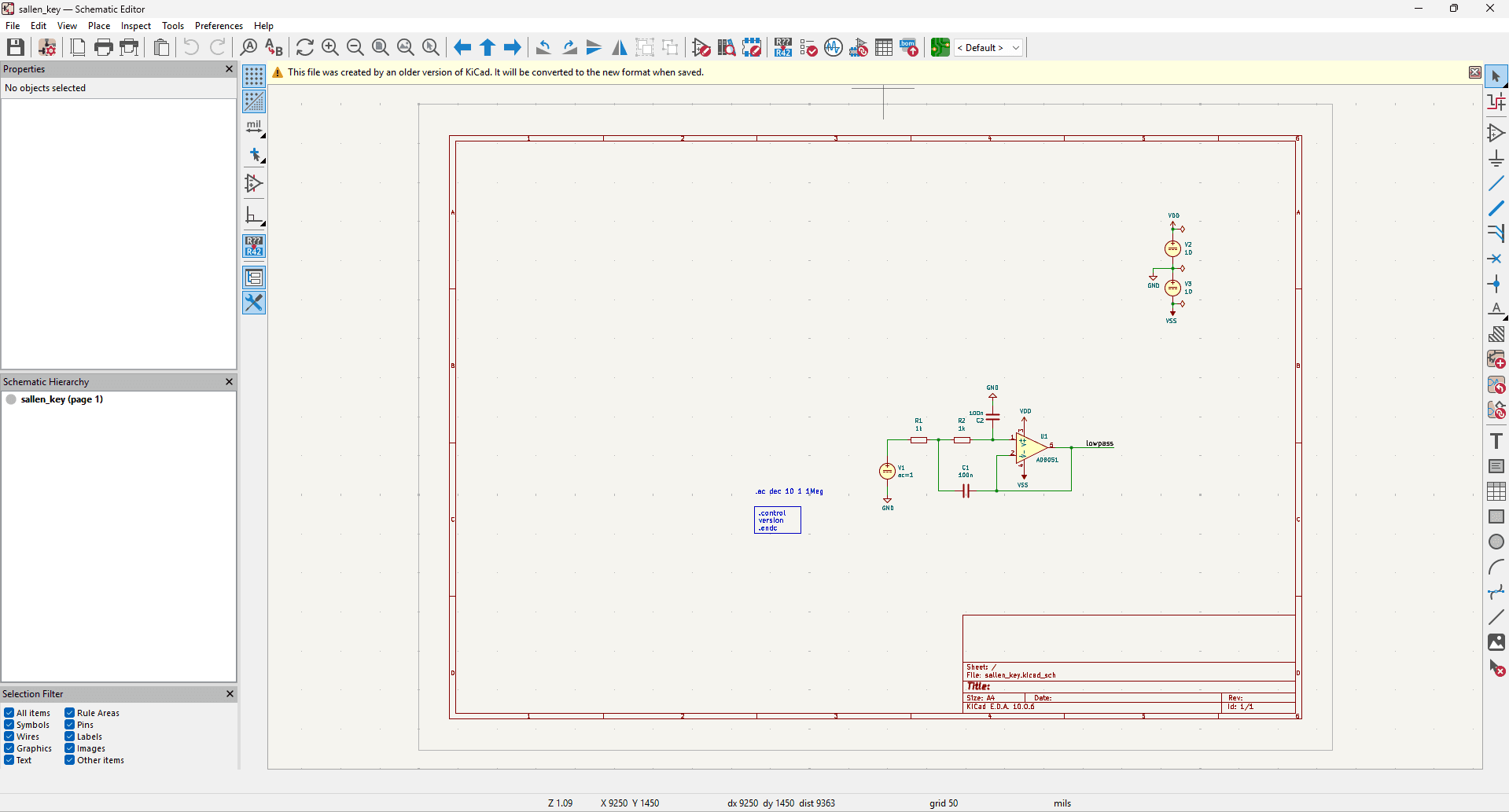
KiCad ships with ngspice built into its schematic editor, which means the schematic you're about to turn into a PCB is the same schematic you simulate. No translation step, no second tool, no chance for the simulated version and the real version to drift apart. For a quick bias-point check before ordering boards, that's a real advantage. It reads most vendor SPICE models too, with translators for LTspice and PSpice syntax.
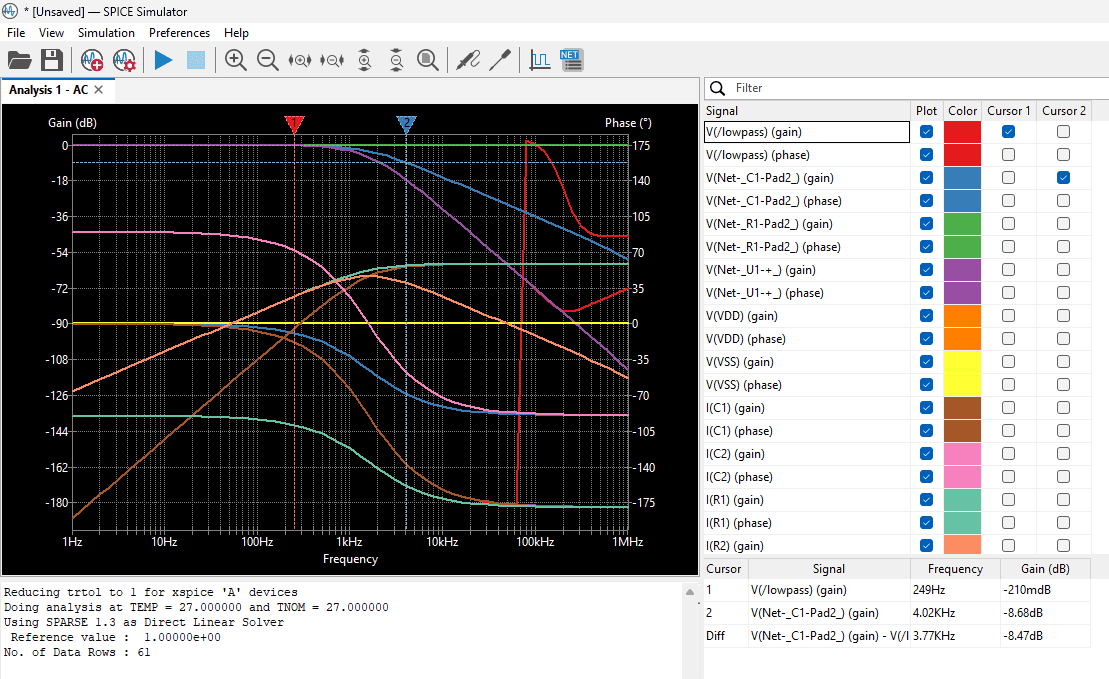
We wish we could stop there.
In practice this is the roughest SPICE experience on the page. Community forums document crashes that take unsaved schematic work with them, models that fail over details as small as an underscore in a name, and small missing conveniences everywhere you look. Each KiCad release improves it, and the direction is right. But today it's best treated as a bonus feature of an excellent PCB tool, not as a simulator you'd choose on its own merits.
Our take: If you already live in KiCad, use it for quick sanity checks — and save your work first. If you don't, LTspice does the same job without the drama.
CircuitVerse — the digital one
CircuitVerse does digital logic in the browser, and only digital logic: gates, flip-flops, counters, timing diagrams, truth-table-to-circuit generation, testbenches — all the way up to complete toy CPUs, as the screenshots below show. It's free and open source (MIT), development is active (2026 work includes in-browser Verilog synthesis), and there's real classroom machinery: assignments, deadlines, grading.
Circuits embed in ordinary web pages, which is why you'll start meeting CircuitVerse embeds in our digital-logic lessons as that department grows.
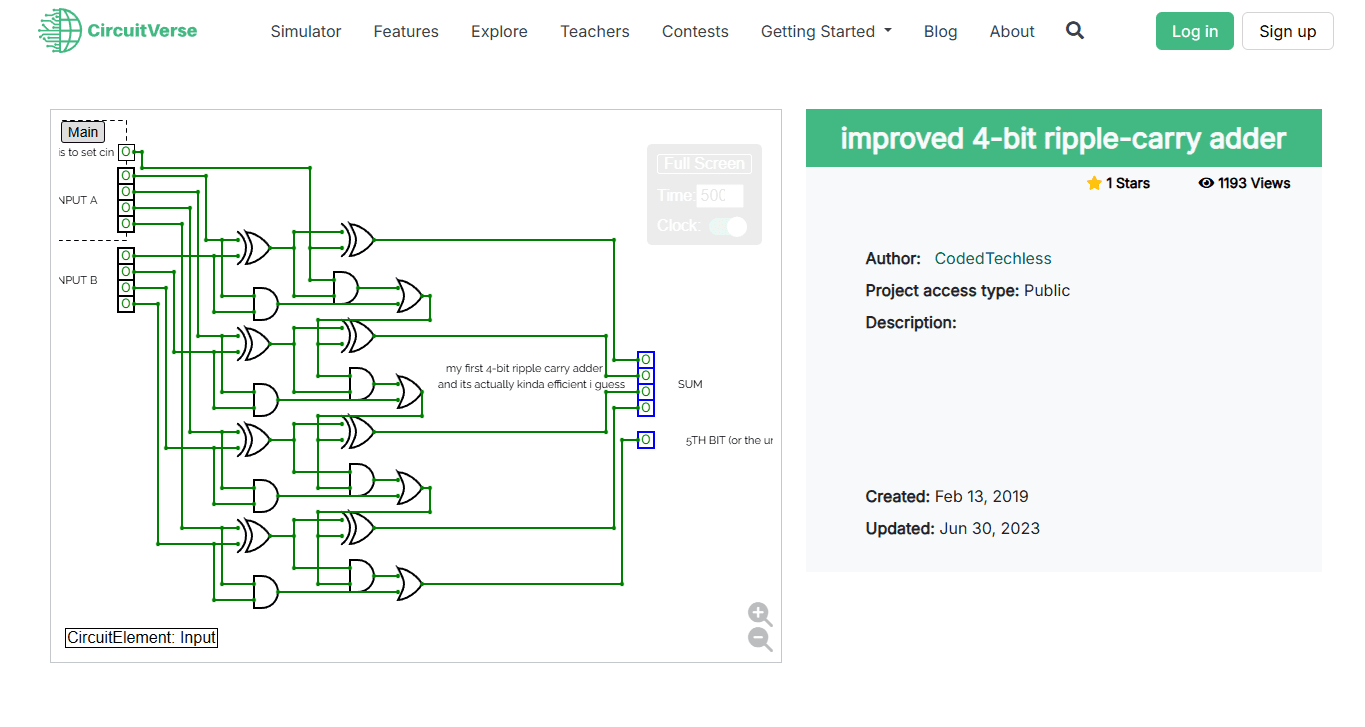
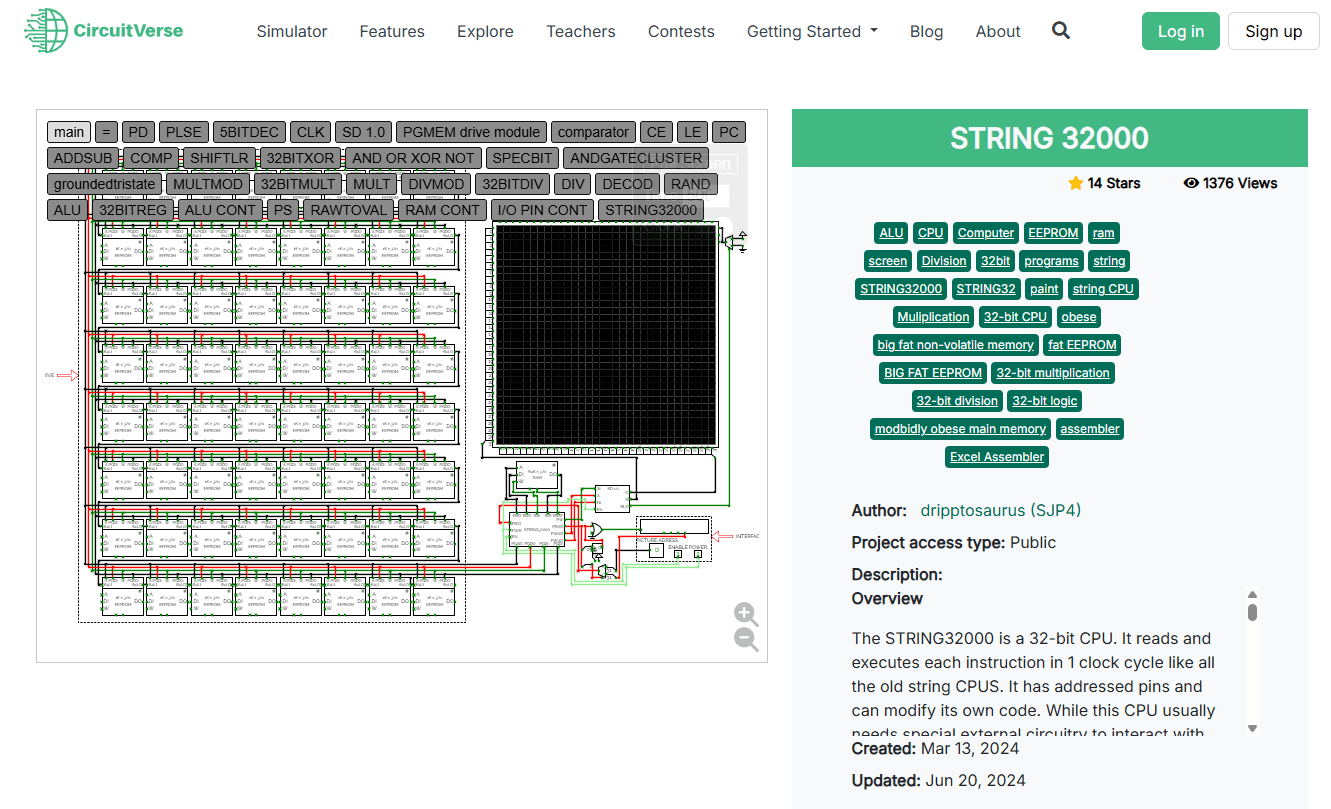
The limitation is definitional rather than a flaw: there is no analog capability at all. It isn't competing with anything else on this page — it's the other half of a curriculum.
Our take: The obvious choice for logic, and it costs nothing. Pair it with an analog tool rather than choosing between them.
Tinkercad Circuits — training wheels that work
Autodesk's Tinkercad Circuits is the gentlest introduction that exists. Drag breadboard components onto the canvas, wire them by clicking, press simulate. An Arduino is included, programmable with drag-and-drop blocks or real C++, and the whole thing is free with an Autodesk account. Schools didn't standardize on it by accident.
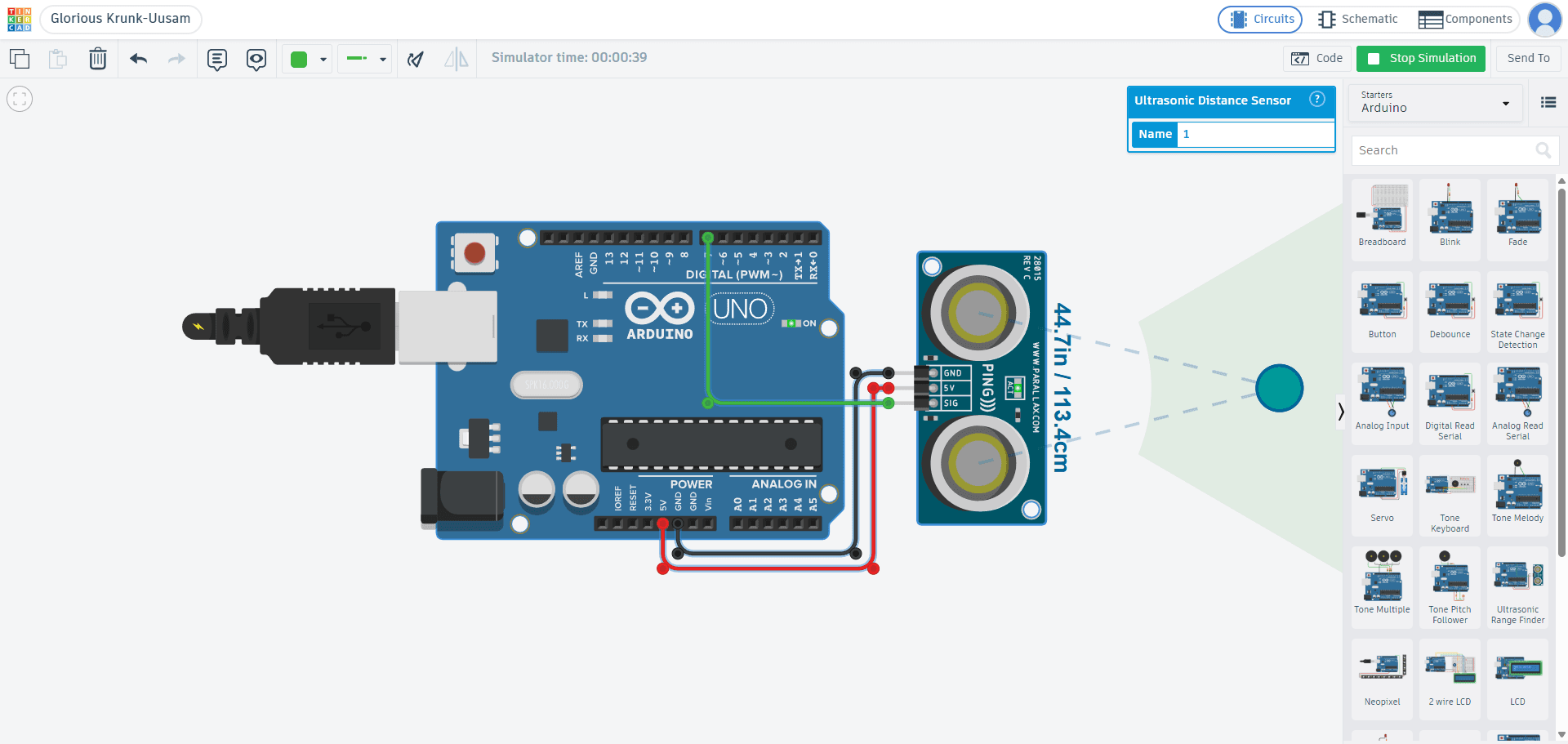
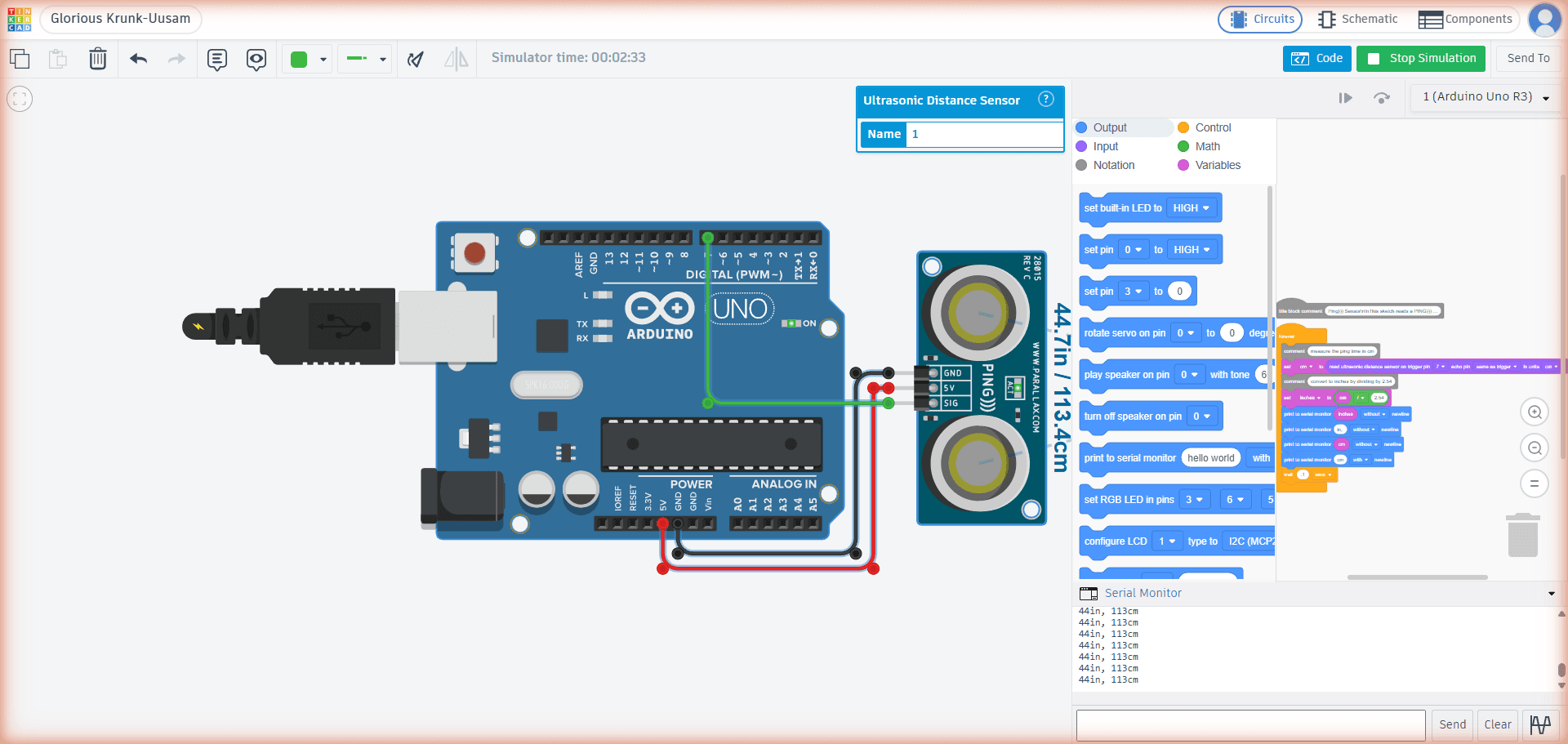
It's also the tool you'll outgrow first. The component library is small, and the simulation is idealized — parts behave like their textbook selves rather than their datasheet selves. Projects hit the ceiling fast. We'd call that a design choice rather than a flaw; just know the ceiling is there before you get attached.
(One persistent confusion worth clearing up: Autodesk's Circuits.io died in 2017. Tinkercad Circuits is a separate product, and it's alive and well.)
Our take: The right first week of electronics. Have Falstad ready for the second week.
Wokwi — for the firmware, not the physics
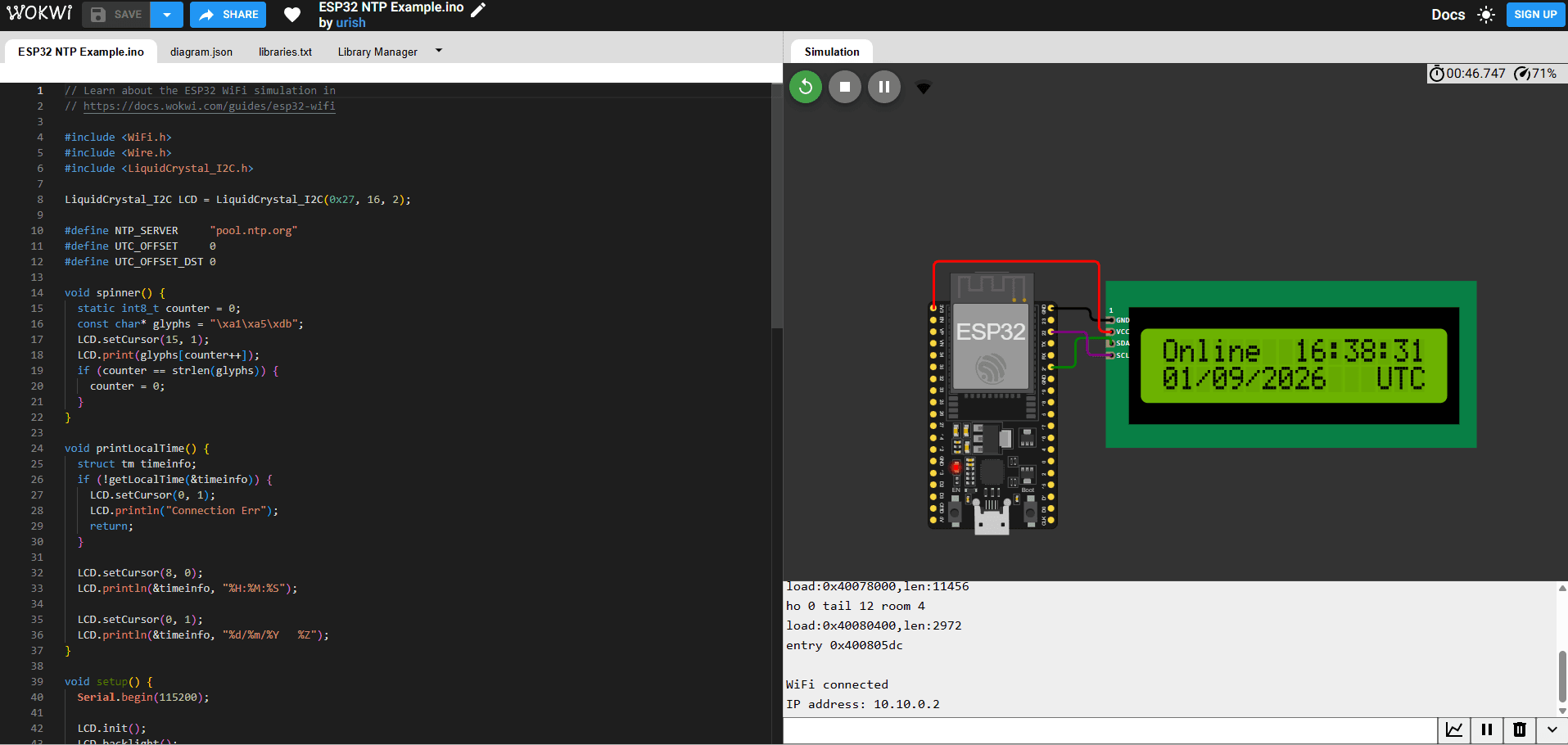
Wokwi is where embedded developers simulate microcontrollers: Arduino, ESP32, STM32, Raspberry Pi Pico — running your actual code against virtual displays, sensors and even WiFi. A simulated ESP32 in Wokwi can make real network requests, as the screenshots below show. Compile-and-run cycles take seconds. Paid tiers add a VS Code extension, and CI integration can run your firmware tests with no hardware on your desk.
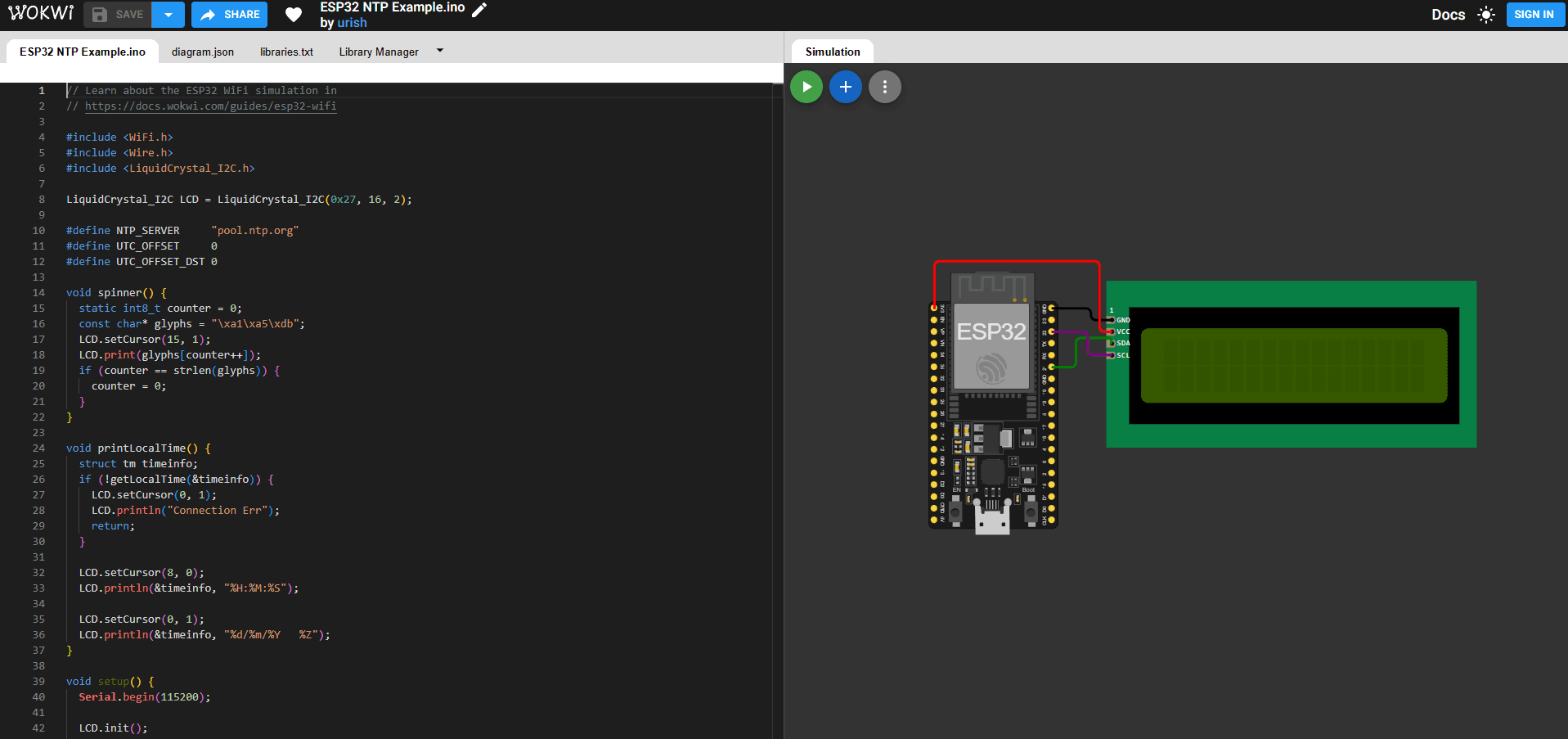
Be equally clear about what it isn't: an electronics simulator. Analog support stops at potentiometers and thermistors. There's no SPICE engine, and there isn't meant to be.
The free tier is unlimited in time and simulation, with one significant string: everything you make is public. Private projects need a paid plan, starting at around €5–6 a month.
Our take: Superb at its actual job. Just make sure its job is your job.
SimulIDE — local, free, rough-edged
SimulIDE simulates microcontrollers — AVR, PIC, Arduino — together with the analog and digital circuitry around them, and it does all of it on your own machine: Windows, Mac or Linux, free, open source, no account anywhere. If Wokwi's everything-lives-in-their-cloud model bothers you, this is the alternative, and it's more capable than its modest reputation suggests.
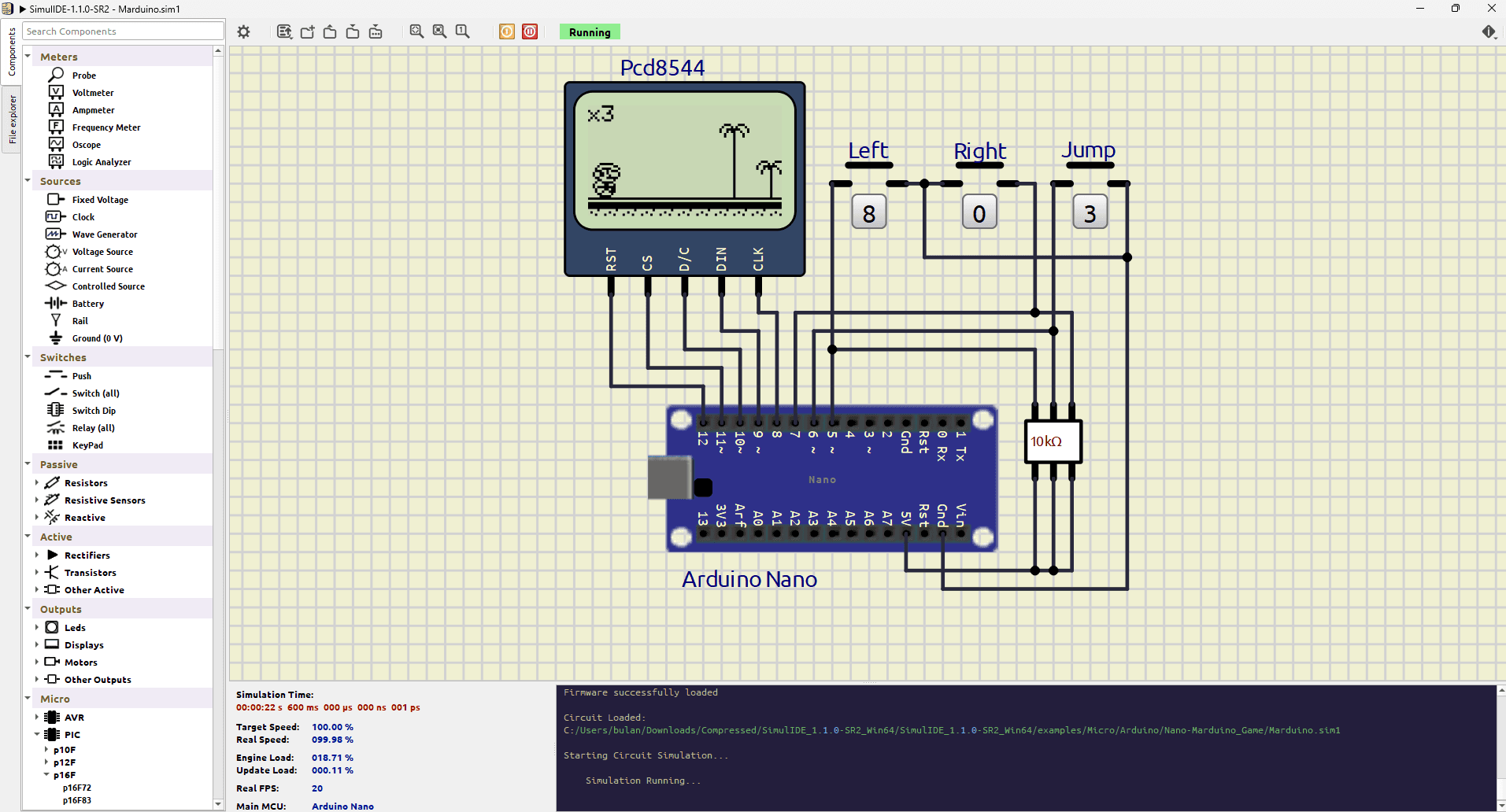
The trade-offs are what you'd expect from a small open-source project: a smaller community, thinner documentation, and stability that varies from build to build — the project's own download page is refreshingly direct about which versions to trust. It rewards patience more than the polished tools do.
Our take: The offline, no-strings option for MCU-plus-circuit work. Expect rough edges, and keep to the stable builds.
Honorable mention for RF and advanced work: Qucs-S, an open-source GUI over ngspice and Xyce, actively maintained and stronger on RF than anything else free. Niche, but if you need S-parameters on a budget, it's the one.
What changed since our 2016 list
This page has ancestry. In 2016, ElectronicsInfoline published "Nine Best Online Circuit Simulators," and for years it was one of the most-visited pages on this site. Reading it back is sobering. Its #1 pick, Circuits.io, was shut down by Autodesk in 2017. DoCircuits and Circuits Cloud no longer load at all as of September 2026. PartSim survives in name, though it hung at its loading screen when we tested it for this page.
The survivors are instructive: Falstad (open source), EveryCircuit (a sustainable one-person business), CircuitLab (paid product), and EasyEDA — which has since become primarily a PCB design tool. Half the 2016 list is gone, and every casualty was a free-tier cloud service with no visible business model. We've weighted this year's recommendations accordingly.
Questions we keep hearing
Is LTspice really free? Yes — completely, with no component limits, no tiers and no account. Analog Devices maintains it, and the model library leans toward ADI parts, which is the business logic behind the price. The company benefits; so do you.
Is Falstad accurate enough for real design work? For understanding circuits, yes. For verifying them, no — it uses its own simplified solver rather than SPICE, and component models are idealized. The simulation lesson covers where idealized models mislead.
What's the best simulator with no signup at all? Falstad — nothing else combines zero setup with zero accounts. LTspice and SimulIDE also need no account but require installing.
Can I simulate Arduino code in the browser? Yes — Wokwi (more capable, projects public on the free tier) or Tinkercad Circuits (simpler, better for beginners). Neither simulates analog electronics properly; for that, pair with Falstad or LTspice.
How this page was checked
Every price, version number and shutdown date above was verified against the vendors' own pages on 1 September 2026, and every screenshot is our own capture of the tool running a real circuit that day. This page carries no affiliate links and no tool paid for placement — several would have fared better if they had. Found something out of date? Tell us and we'll fix it.